
AI CRM for Outlook · for small B2B businesses

Your sales opportunities are already in Outlook.

Frida reviews the last month of customer conversations in Outlook, puts open enquiries and quotes on a board and shows who is waiting for a reply. When a quote goes quiet, the follow-up is ready in your tone. You type nothing in. You review and approve before an email is sent.

14 days free. Then €4/mo, or free with up to 5 active deals. No payment card.
Frida has written a draftIn your style

Hi Henrik, thanks for getting in touch! I would be glad to send a proposal. Do you have 20 minutes on Tuesday or Wednesday so I can hear more about your situation?

HMHenrik Møller08:42

Hi! We are thinking about getting help with our strategy process this spring. Could you send a proposal?

Frida has written a draftIn your style

Hi Henrik, thanks for getting in touch! I would be glad to send a proposal. Do you have 20 minutes on Tuesday or Wednesday so I can hear more about your situation?

Approve and sendEdit
New deal found
Strategy programme · DKK 85,000
01
The problem

There's money in your inbox — and it's evaporating

A flag on the email, a folder per client and a spreadsheet you update when you get to it. It works until a delivery fills the week. Then it is Monday’s quote that slips.

HM
Henrik Møller
Proposal for a strategy programme?
Answered
LK
Lone Krag
Could you help with our management meeting in May?
Answered
MH
Mette Holm
We would like to start next quarter. Could you send a quote?
Never answered

One lost job costs more than ten years with Frida.

02
The overview

Frida finds your sales opportunities in Outlook

When you connect Outlook, Frida reviews the last month of email and puts your open enquiries and quotes on a board with customer, history and stage. After that, Frida suggests new deals, and you can check and correct the suggestions.

New opportunity
Found in your inboxStrategy programmeHenrik Møller · yesterday
Found in your inboxLeadership development, 6 managersMette Holm · 4 days ago
In conversation
9 days without a replyProcess review, warehouseLone Krag · quote sent
Frida has a follow-up draft ready
Deal closed
WonFramework agreement, advisorySøren Dahl · 120.000 kr
You type nothing inThe first time, Frida finds your open deals by itself. After that it suggests new ones, and you say yes with one tap.
You see who is waitingWhen a quote has gone quiet, a follow-up is ready in your tone.
You decideYou review and approve before an email is sent.
Court · Trail

Who has the ball?

See your deals as a court: the customer above the net, you below.

How to read the court
03
The follow-up

The follow-up is written by the time the workshop ends

When the customer has gone quiet, Frida writes the follow-up in your own tone from the whole thread. You read it, edit it and send it, from your computer or your phone.
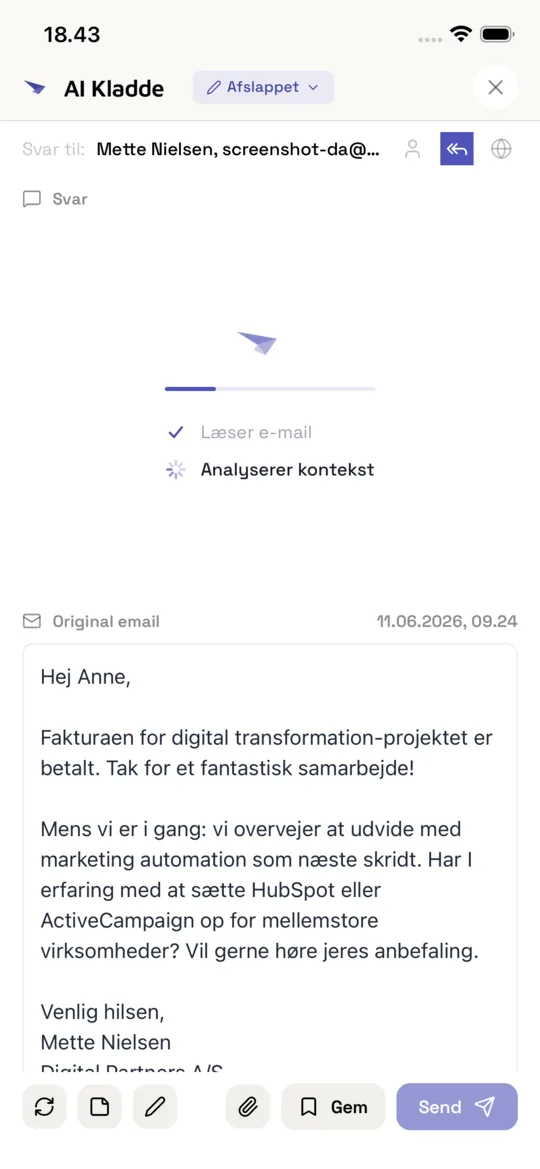
Written in your style Ready to approve
1
The quote has gone quietNo reply from the customer for a week
2
Frida writes the follow-upIn your own tone
3
You tap approveNothing goes out without your yes
Frida AI draft with a generated reply
04
Getting started
Works with Outlook and Microsoft 365

Sign in with Microsoft. Frida gets started right away.

No import and no fields to fill in. Frida reviews the last month of customer conversations, and you see the deals appear while it reads.

1Continue with Microsoft
2Frida reviews the last month
3You see your deals and who is waiting
Connect Outlook for free

Requires an Outlook mailbox in Microsoft 365. If only an administrator may approve new apps in your organisation, Frida needs to be approved once for the company.

By continuing you accept the terms of service and privacy policy. We'll send you tips on getting started with Frida. You can unsubscribe at any time.

Works on phone, tablet, and computer
Outlook
Frida

Who Frida is for

Frida is narrow on purpose. It is built for small companies where the person who sells also delivers.

Frida is for you if
  • You are 1–10 people, and whoever sells also delivers.
  • Enquiries, proposals and quotes go through Outlook and Microsoft 365.
  • You usually have 10–50 customer conversations going, and one lost job is felt.
  • You keep track of them with flags, folders, a spreadsheet or your memory, or you have tried a CRM and given up.
Choose something else if
  • You are a sales team with quotas, forecasts and a sales manager who steers by the numbers.
  • You live from outbound sales with call lists and email sequences.
  • Your quotes and orders run in a job management system that already owns the customer.
  • Your email is not in Outlook and Microsoft 365.

Try Frida – right here

Follow a deal from its first email to new information and an updated next step. See what Frida brings together for you and what needs your decision. Fictional example data; no AI analysis or sending in the demo.

Ask Claude or ChatGPT about your deals — Frida has the overview ready

Already using Claude or ChatGPT? Connect Frida and ask about your customers and quotes in the assistant you already use. A mailbox connection can search your inbox. Frida has already turned your emails into deals with stage, value, contacts and follow-ups, so you get the same structured summary every time you ask.

  • What to follow up on — and whyPrioritised, with excerpts from the incoming and sent emails behind the reasoning. From your own mailbox only.
  • Pipeline and weekly review in one questionAn exact overview per stage and currency, what was created, won and lost in a period, and what has changed since last Monday. The assistant can also draw your deal board in Frida’s own look.
  • Ready for the customer meetingWho is involved, what was noted, and what was last said and promised — for won and lost deals too.

Want to make changes too? The same connection can add a note, set the value or the expected close date, move the stage or manage the follow-up on one deal at a time, when you ask it to. It is an optional permission that you give when you approve in Frida, and you can leave it out. Every change is logged and can be undone. It can never send email, delete anything or change several deals at once.

Frida · Claude · ChatGPT

Try asking

  • What should I follow up on now, and why? Show the email sources and what you cannot determine.
  • What does my pipeline look like right now, and what have we won and lost in the past month?
  • What has changed in my deals since Monday?
  • Prepare me for a customer meeting: who is involved in the deal, what was noted, and what was last said and promised?

Early access through a custom connection: Frida is not yet listed in Claude’s or ChatGPT’s official directory, and availability depends on your plan and the administrator settings in the assistant. The connected AI service receives the data Frida returns; email excerpts are always partial. You can revoke access in Frida, and it expires after 30 days. The Claude and ChatGPT logos belong to their respective owners and do not indicate official endorsement of Frida.

What Frida reads, and where it lives

Frida reads only the Outlook mailbox you connect yourself and uses it for your overview and your drafts. Hosting and storage are in the EU. The AI processing of emails takes place at a disclosed sub-processor in the US under the EU-US Data Privacy Framework.

Microsoft asks for permission to send email because you can send your approved replies from Frida. Frida never sends anything you have not approved.

Hosting and storage in the EU Never trained on your data Data processing agreement You approve everything before it is sent

Choose what suits you

Try Frida’s deal overview, AI replies and follow-ups free for 14 days. Afterwards, continue on Free with up to 5 active AI-discovered deals and AI replies within the free plan’s limits. Discovered deals are kept. You only pay if you choose a paid plan.

Frida reviews up to 30 days of email history. During the trial, active AI-discovered deals are uncapped and the email limit is 1500 per month. Other limits remain on Free; documents and FAQs require a paid plan.

Free covers 5 active deals. If you have more going, it is Personal.

Free

Free

Try Frida free for 14 days

  • 1,000 emails per month
  • 1 user
  • 14 days with no cap on active deals
  • Syncs 30 days back during the trial
  • AI replies stay free
  • Afterwards: up to 5 active deals with follow-up
  • Pauses after 30 days without use
Start free
Most popular

Personal

€4/mo

For those who sell and deliver themselves

  • Living Follow-ups
  • 1,500 emails per month
  • 1 user
  • Follow-ups written in your tone
  • An overview of all your deals
  • Knows your contacts & relationships
  • Knows your meetings from your Outlook calendar
Try Personal

Pro

€7/mo

Same features — for small firms where several people talk to customers

  • Everything in Personal
  • 2,000 emails per month
  • 3 users
  • Deal overview — 2 months back and ahead
Start Pro

What you're probably thinking

I already have Outlook. Why would I need anything else?
Outlook is good at the single email, but it does not keep track of which enquiries and quotes are open, or who is waiting for a reply. Flags, folders and a spreadsheet do not do that on their own either. Frida reads your Outlook conversations, gathers them into deals with history and shows who wrote last. You keep working in Outlook as before.
I tried a CRM and gave up. What is different?
A classic CRM is only as good as what someone types into it. Frida builds the overview from the emails you already send and receive: the first time by reviewing your recent email, after that by suggesting new deals and stage changes that you accept or reject with one tap. There are no fields to fill in and no pipeline to set up.
How far back does Frida look when I connect Outlook?
During the trial, Frida reviews the last 30 days of email and puts your open deals on the board. On Pro it is 60 days. If the mailbox has had a trial before, it is 14 days. If you upgrade later, Frida brings in the older email too.
What does Frida actually do?
Frida gathers your customer conversations into deals with email history, stage and next step, and shows who wrote last. When a quote has gone quiet, Frida prepares a follow-up in your tone. New emails update the overview, and you can always check the sources and correct the suggestions.
What happens when a customer replies or changes plans?
Frida uses the new email together with the conversation context. A customer reply can stop an existing follow-up; a changed date may need clarification. A reply does not automatically mean an accepted agreement. Check suggestions against the email source.

What happens when a customer replies or changes plans? →

What happens automatically, and what do I control?
Frida analyses synced emails and prepares suggestions, overviews and drafts. You can edit details, accept or reject suggestions and control follow-ups. In the normal draft workflow, you review and approve the email before it is sent.
What does Frida not do?
Frida is not a sales system for large teams: there are no forecasts, quotas, reports or custom fields. Frida does not send email sequences, does not track opens and never sends anything you have not approved. Frida does not track time or create invoices. It keeps track of your customer conversations in Outlook and prepares the follow-up.
Does Frida work with Outlook and Microsoft 365?
Yes. Frida is built for Outlook and Microsoft 365. You sign in with Microsoft and grant access to the mailbox to sync. If only an administrator may approve new apps in your organisation, the administrator approves Frida once for the company at app.fridaapp.io/admin-consent; in a small company that is often you. A Microsoft account that is only a sign-in without a mailbox gives Frida nothing to read.
Can I try it without connecting my email?
Yes. The interactive demo works without login and uses fictional data. Try deals, follow-ups and programmes. The demo does not analyse your inbox or send emails. To use your own emails, create an account and connect your mailbox.

Can I try it without connecting my email? →

Can I see Frida inside Outlook?
The Outlook pane looks up the open email in Frida and shows the deal behind it: who wrote last and when, stage, amount and customer. You can move the stage, write a note, park the deal or mark that the email needs no reply, and get a reply draft in your own tone that opens in Outlook’s own reply; if Frida needs more to write it, it first asks a couple of short questions. The Overview tab shows all your open deals and who has the ball. If the email is not on a deal, the pane shows the customer behind the sender or says the sender is new. Frida invents no deal. Early access: custom connections. Frida is not yet publicly listed in the Outlook, ChatGPT or Claude directories. Installation and availability depend on your account and administrator.

Can I see Frida inside Outlook? →

Can I connect Frida to ChatGPT or Claude?
Connect Frida to Claude or ChatGPT as a custom connection and ask about your deals in the assistant you already use. The assistant sees your deals as Frida has organised them from your email: one list with stage and value, including won and lost deals, with contacts, notes and recorded history. It can say what to follow up on now and why, with excerpts from incoming and sent emails in your own mailbox, give an exact pipeline overview per stage and currency, show what was created, won and lost in a period and what has changed since a date, prepare you for a customer meeting and draw your deal board in Frida’s own look. A mailbox connection can search your inbox; Frida has already gathered the emails into deals. Email excerpts are always partial, and a recorded signal alone does not prove who owes a reply. Early access: custom connections. Frida is not yet publicly listed in the Outlook, ChatGPT or Claude directories. Installation and availability depend on your account and administrator.

Can I connect Frida to ChatGPT or Claude? →

What data can a connected AI assistant access?
Deals are limited to your workspace. Email sources are limited to your own connected mailbox, not your colleagues’ mailboxes. The Outlook pane does not send emails: a reply draft opens in Outlook’s own reply, and you send it yourself. It changes a deal only when you press. The conversation connection always reads; changes are an optional permission on the same connection, which you can leave out when you approve in Frida. With it, the assistant can add a note, set the value or the expected close date, move the stage or manage the follow-up on one deal at a time; every change is logged and can be undone. No connection can send email, delete or merge deals, or change several deals at once. The connected AI service receives the information Frida returns. You can revoke access in Frida, and authorisation expires after 30 days; information already shared remains in the conversation.

What data can a connected AI assistant access? →

What happens to my emails and data?
When you connect your mailbox, Frida processes synced emails to provide its features. Hosting and storage are in the EU. The AI processing of emails itself takes place at a US-based sub-processor under the EU-US Data Privacy Framework and standard contractual clauses; all sub-processors are disclosed in the privacy policy. An external assistant such as ChatGPT or Claude receives the information you authorise its connection to access. See the privacy policy for processing, retention and your rights.

What happens to my emails and data? →

What is included in the free trial?
Try Frida’s deal overview, AI replies and follow-ups free for 14 days. Frida reviews up to 30 days of email history. During the trial, active AI-discovered deals are uncapped and the email limit is 1500 per month. Other limits remain on Free; documents and FAQs require a paid plan. Afterwards, continue on Free with up to 5 active AI-discovered deals and AI replies within the free plan’s limits. Discovered deals are kept. You only pay if you choose a paid plan.

Which quotes are still waiting for a reply?

Connect Outlook, let Frida review your customer conversations and assess the first suggestion in your own inbox.

Connect Outlook for free
14 days free No payment card You approve everything Hosting in the EU

By continuing you accept the terms of service and privacy policy. We'll send you tips on getting started with Frida. You can unsubscribe at any time.